Learning English vocabulary on Apple Watch: a guide for Chinese-speaking learners
A watch suits a few words while you wait for an elevator. It is less suited to a whole reading passage. Plan the wordbook on iPhone and give Apple Watch one brief learning task at a time.
Written by Wristlab, the developer of Wrist Words. Built-in meanings are for Chinese-speaking learners. This is not an independent review or a promise of recall or exam performance.
Check the language fit before installing
Wrist Words includes phonetics, complete Chinese meanings and system pronunciation. It suits people learning English through Chinese. The interface supports several languages, but built-in meanings remain Chinese. It is not an English-only dictionary or a translation tool for every interface language.
Wordbooks include Chinese college entrance exams, CET-4, CET-6, postgraduate entrance exams, IELTS, TOEFL and GRE categories, and you can import your own. Exam categories use ECDICT; they are not official current exam syllabuses.
Make the daily task small on iPhone first
- Sign in with Apple on iPhone and choose one wordbook relevant to your current goal. You do not need simultaneous targets for several exams.
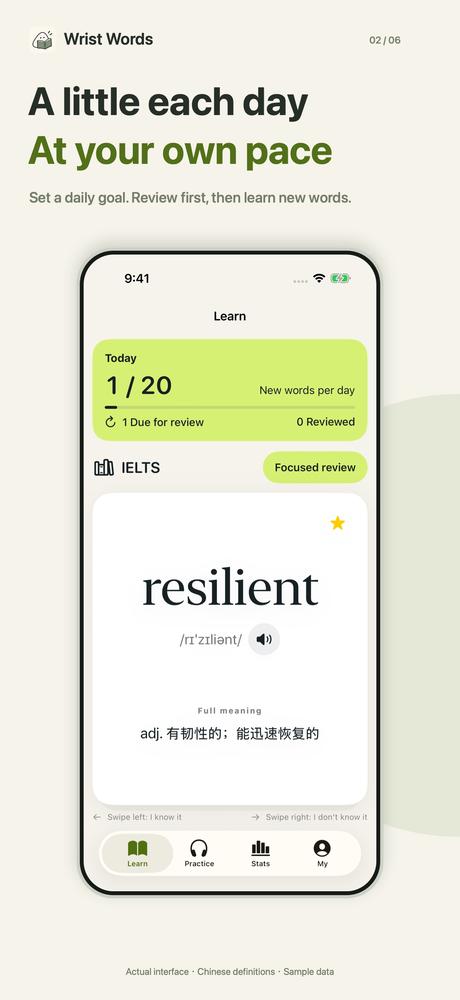
- Set a daily goal that fits your routine. See whether it is manageable before increasing it. A target is not a count of words already mastered.
- If you have your own word list, organize, import and check it on the phone. Long-text editing is not a good small-screen job.
- Open the paired watch and check the wordbook and study state before starting. Initial configuration and authorization use the signed-in phone; offline study is available afterwards.
Keep a watch review to a few minutes
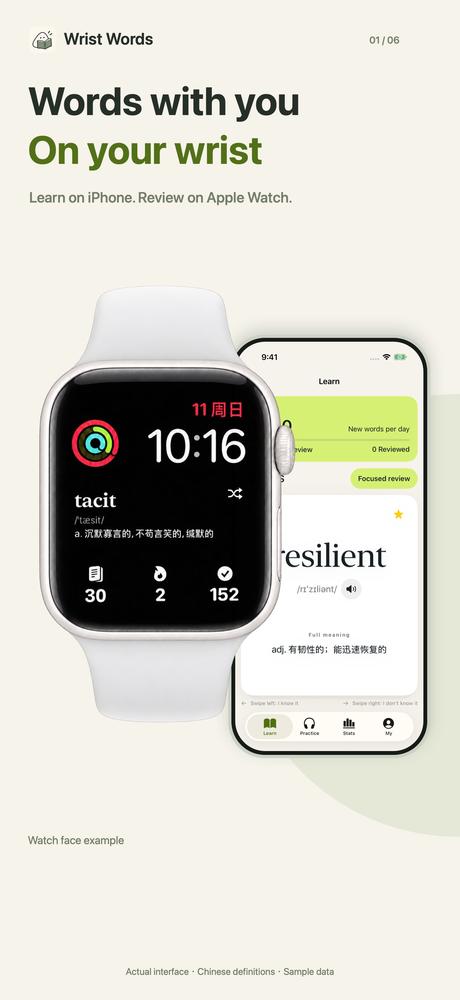
Try recalling a meaning before revealing the Chinese definition. Continue according to what you genuinely recognize. Use the unfamiliar-word review flow for difficult items, and favorites for words you want to keep.
Trigger system pronunciation when useful. Check device sound settings when listening; tapping pronunciation does not guarantee an audible result in every environment. Use iPhone for longer listening, spelling or reading practice.
For example, review a short set while waiting for the kettle, then stop. Later, use the phone to look at study reports and what is due for review. Do not mark an unfamiliar word as known just to complete a progress ring.
Separate paired-device sync, cloud backup and complications
Basic study and syncing between iPhone and its paired watch are free. Cloud sync and focused training require VIP. You can study offline after setup, with changes syncing when connectivity returns. Paired-device syncing, account recovery and a live connection are different concerns.
Watch-face complications require VIP. First check whether the in-app wordbook and review workflow suit you, then decide whether entering review from the watch face is useful. Add a complication through the system watch-face editor in a position that supports it.
Study reports describe your recorded activity. Completing a round does not guarantee long-term recall or an exam result. Use words in reading or expression as well as reviewing cards to judge what you can actually use.
VIP offers monthly, annual or lifetime access and has no free trial. The purchase screen explains current prices and renewal terms. You do not need a purchase to try basic study.
Common questions
Does an English interface give me English definitions?
No. Interface language and definition language are separate. Built-in meanings remain Chinese, so check that this matches how you learn.
Can I study without my phone nearby?
After first setup on iPhone, with the relevant data on the watch, offline study is available. Later syncing and account recovery have their own connectivity requirements.
Is learning entirely on Apple Watch enough?
The watch suits short recall and review. Make room for reading, listening and expression on a device and schedule that suit those tasks.
Are exam wordbooks official syllabuses?
No. They are ECDICT-based categories. Check the target exam’s official requirements separately.