How to record dog walks on Apple Watch: routes, multiple dogs and care
With a leash in one hand, keep the watch job small: start the walk, record a toilet break and finish when you get home. Review the route and hand over care on your phone afterwards.
Written by Wristlab, the developer of Pawround. This is a guide to our public app, not an independent review. The linked App Store listing describes current availability and access.
Are you recording your exercise or your dog’s care?
If you only need your own walking time, start with Apple’s Workout app. A pet-specific tool becomes useful when you also need to know which dog peed, ate or had medicine. Distance alone cannot answer those questions.
Pawround keeps walks and care together. Multiple dogs can share a walk timer and route, while toilet, food, water, medicine and notes belong to the individual pet. It does not estimate pet calories or replace veterinary advice.
Set up on iPhone before the first walk
- Sign in and add a pet. Use Sign in with Apple on iPhone. If someone already has your shared household, join it rather than creating a second copy of the same household.
- Open the watch app once. Check that the right dogs appear. Keep the paired devices connected until their profiles arrive before trying a phone-free walk.
- Choose permissions deliberately. Allow the location access requested for route recording if you want routes. Decide whether toilet records should attach a location, too.
- Check the audience. Household members, including people who join later, can see shared pets’ full history, routes, notes and photos. Agree on that before inviting someone.
For the first test, take your phone on a short familiar route. Start, log and finish a walk, then confirm the result at home before leaving the phone behind next time.
A simple watch workflow
- Start a dog walk on the watch and select the dogs coming with you. If two dogs take the same walk, select both instead of starting separate copies of the route.
- For a pee or poop event, check which dog you are recording before saving. Sharing a route does not mean every dog had the same care event.
- Finish the walk when you get home. Review its actual time, distance and route on iPhone, then add or edit anything you missed.
- If you want a keepsake, choose photos and details for a walk recap image. Check it for home addresses or familiar locations before sharing it publicly.
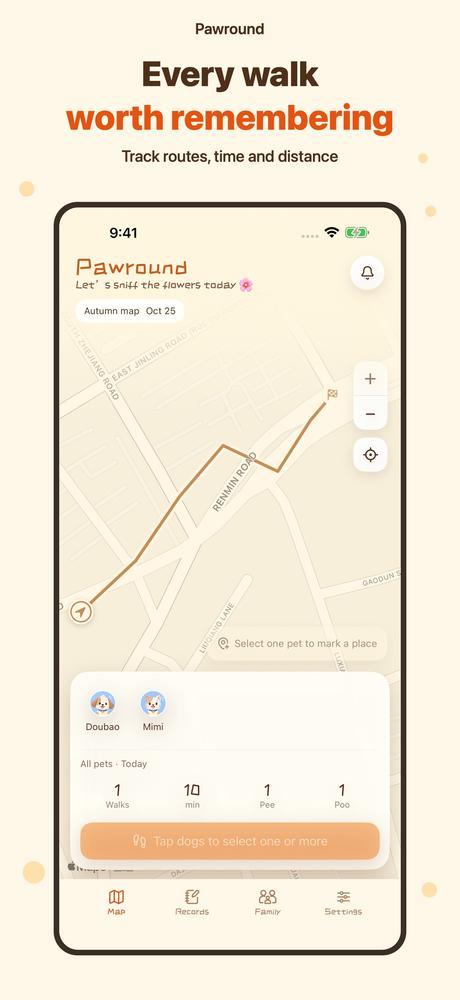
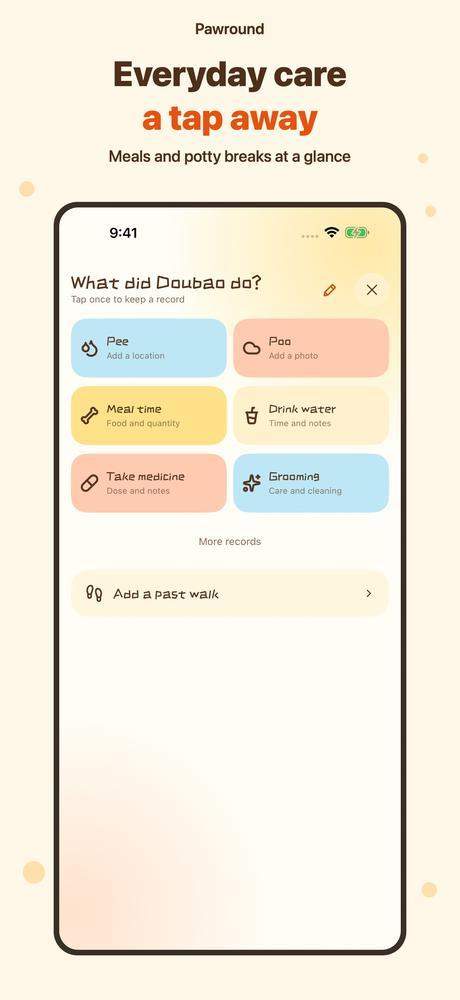
Apple Watch can record independently offline. That does not mean your household has received the record: household updates arrive after successful syncing. Location permissions and reception also affect route recording.
Hand over completed care and the next task
A useful handoff says who walked the dogs, which dog had a toilet break and whether dinner or medicine is still due. Check the actual history instead of assuming someone else has done it.
Household tasks can have an assignee, a due time and an advance reminder; dog walks can repeat. Shared reminders need to be saved online, and recipients must allow notifications and enable household notifications. Delivery is not guaranteed, so directly confirm important care such as medicine.
Basic records, household sharing and habit reports are free. Additional pets, care plans and advanced analysis require lifetime membership. Check the current App Store listing and purchase screen for the features you need.
Common questions
Can I leave my iPhone at home?
After setup, with profiles available on the watch, you can record independently offline. Household visibility still depends on a later successful sync. This is not continuous remote monitoring.
Do two dogs mean two routes?
Dogs on the same walk share its timer and route. Each pet retains separate care records; check the selected dog when recording an event.
Must I invite my family?
No. You can use the app without inviting anyone. iPhone still uses account backup; review the history and location-sharing boundary before joining a household.
Does a recorded route assess my dog’s health?
No. Time, distance and care records help you review routines. They do not diagnose health conditions; ask a vet about health concerns.