Apple Watch apps for couples: check-ins, shared updates and privacy
Sending “thinking of you” during a busy day and checking someone’s location are different needs. Begin with a small interaction you both want, then decide whether sharing more information would be useful.
Written by Wristlab, the developer of Wrist Signal. This is not an independent review, a relationship guarantee, medical interpretation or a safety-monitoring service.
Separate messages, check-ins and location sharing
For ordinary text messages, start with Messages. For consensual location sharing, look at Apple’s Find People. Consider Wrist Signal when you both want short check-ins and selected updates in one paired tool.
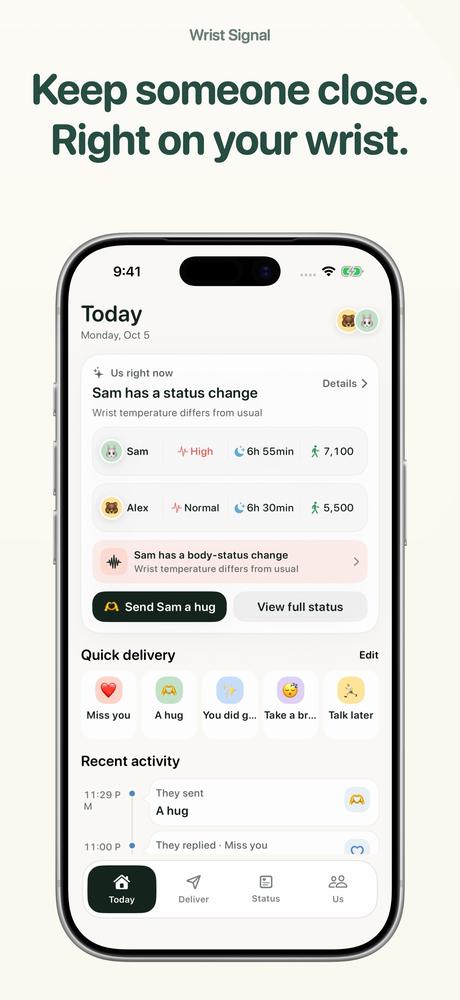
The app connects you with one partner or close friend. It is not a covert household-monitoring dashboard. You do not need to enable every health category or location permission to make the app worthwhile.
Try a message before sharing health or location
- Each person signs in with Apple on their own iPhone. Do not share one app account to represent two people.
- Pair through an invitation code and check that the paired person is the person you intended to connect with.
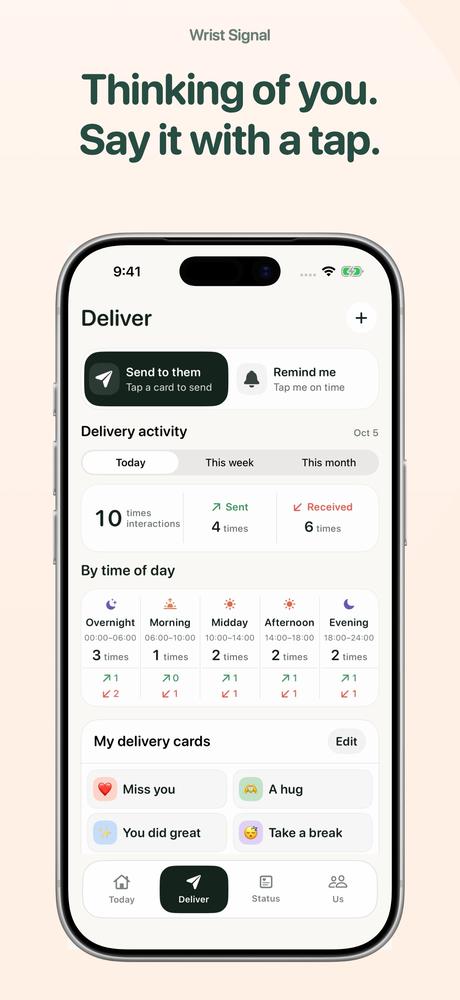
- Send a short message from iPhone or Apple Watch and confirm receipt. If you want notifications, check the receiving device’s permission.
- Use basic check-ins for a few days, then decide together whether sleep, activity or location sharing would help. Discuss what you do not want to share as well.
Use the phone for initial setup. The watch suits a brief message or a glance at an already-authorized summary. A delayed response is not a measure of how much someone cares.
Latest location does not necessarily mean current location
Network access, permissions, system scheduling and device sampling affect updates. Check the data time. A phone without connectivity or a watch that has not updated can leave older information visible.
Continuous real-time location and notification delivery are not guaranteed. The app’s sleep scores and wellbeing interpretations are not Apple scores, diagnoses, treatment or emergency alerts. Contact the person directly for important matters or safety concerns.
Basic manual deliveries and today’s basic status are free. Custom cards, personal reminders, full trends, extended statistics and routes require VIP. One subscriber shares active access with their current paired person; check the purchase screen for current terms.
Common questions
Can I share location without the other person knowing?
Do not use it for covert tracking. Pairing and sharing should be explicitly agreed, with each person choosing their scope and able to stop.
Do we both need an Apple Watch?
The app supports messages on iPhone. Some health readings need a compatible watch. Messaging and health-data collection have different device requirements.
Can we send messages without health sharing?
Health sharing is optional. Start with basic messages and add other categories only if both people want them.
Why was a notification late?
Check connectivity, notification permissions and device settings. System delivery can be delayed and is not an emergency-contact guarantee.